The Developer Body: Maintenance Guide for Sitting 8+ Hours Daily
Your code compiles. Your tests pass. But your body is failing silently. Here's the maintenance protocol every developer needs.
Developer Health Protocol
The Developer Body: Maintenance Guide for Sitting 8+ Hours Daily
Greetings, citizen of the web!
You optimize your code for performance. You refactor for maintainability. You write tests to prevent regressions.
But your body? That's running on default settings from 2015, accumulating technical debt daily.
Let's talk about the uncomfortable truth: Software development is slowly destroying your body, and most developers don't realize it until the damage is irreversible.
I'm talking about:
- RSI (Repetitive Strain Injury) that ends careers
- Eye strain that becomes permanent vision degradation
- Posture collapse that causes chronic pain for decades
- Metabolic slowdown from sitting 10+ hours daily
The good news? All of this is preventable. You just need a maintenance protocol.
Here's mine.
The Ergonomic Stack (Your First Line of Defense)
Bad ergonomics is like deploying to production without testing. You're accumulating damage every single day.
Monitor Height (Most Overlooked)
Your monitor center should be 4-6 cm (1.5-2.5 inches) BELOW your eye level when sitting in neutral posture.
Most developers have their monitors too low, causing:
- Forward head posture (adds 10-12 pounds of pressure per inch of forward tilt)
- Neck strain
- Shoulder tension
- Upper back pain
Fix: Monitor arm (best investment, ~$50-150). Precise height adjustment beats stacking books.
Screen Distance
Your screen should be 20-26 inches away from your eyes. Many prefer 30-40 inches for comfort.
Too close = eye strain and headaches. Too far = leaning forward (posture collapse).
Test: Sit upright, extend your arm. Your fingertips should barely touch the screen.
Chair Setup (Stop Cheaping Out)
Your chair is your workstation foundation. A $100 chair for an 8-hour daily job is insane economics.
What matters:
- Lumbar support (adjustable, supports lower back curve)
- Armrests (adjustable height, keep elbows at 90 degrees)
- Seat depth (2-3 finger width between seat edge and back of knees)
- Recline (slight backward tilt reduces spinal load)
Recommended: Herman Miller Aeron, Steelcase Leap, Secretlab Titan (if on budget).
Don't have $800 for a chair? Get a lumbar cushion ($30) and footrest ($20). Massive improvement for minimal cost.
Keyboard & Mouse Position
Elbows should be at 90 degrees when typing. Adjust chair height or keyboard tray.
Wrists should be neutral (not bent up or down). If you're bending your wrists while typing, you're on the path to RSI.
Consider:
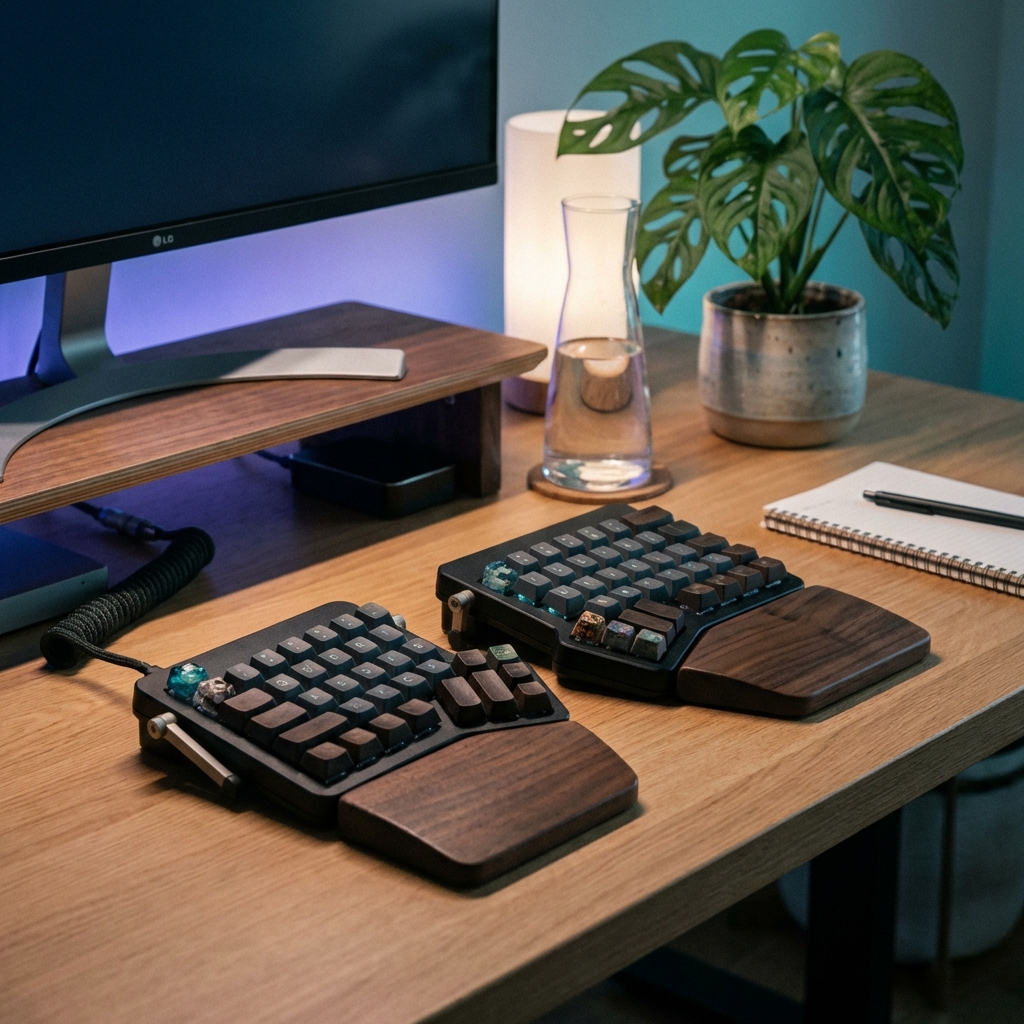
- Split ergonomic keyboard (ZSA Moonlander, Kinesis Advantage)
- Vertical mouse (reduces wrist pronation)
- Wrist rest (but don't rest while typing, only during breaks)
The Eye Strain Protocol
Eyestrain is the most common repetitive strain injury for developers. And most ignore it until it's too late.
The 20-20-20 Rule (Non-Negotiable)
Every 20 minutes, look at something 20 feet away for 20 seconds.
Why it works: Your eyes are locked in "close focus" mode for hours. This gives your eye muscles a break.
Automation: Use apps like Stretchly (free), Time Out (Mac), or Workrave (Linux). These force breaks.
Monitor Settings That Actually Matter
Brightness: Match your monitor brightness to your ambient light. Too bright = eye strain. Too dim = squinting.
Blue light: Enable Night Shift (Mac), f.lux, or built-in blue light filters after sunset. Blue light disrupts sleep cycles.
Dark mode: If you prefer it, use it. No definitive research says light/dark is better. Use what's comfortable.
Font size: If you're leaning forward to read code, increase your font size. Seriously. No one cares if your font is 16pt.
Anti-Glare Strategies
Glare from windows or overhead lights forces your eyes to work harder.
Solutions:
- Reposition your monitor (perpendicular to windows, not facing them)
- Anti-glare screen filter
- Adjust overhead lighting (softer, indirect light beats harsh fluorescent)
The Blink More Protocol
When staring at screens, your blink rate drops from 15-20 times/minute to 5-7 times/minute.
This causes dry eyes, irritation, and long-term damage.
Solution: Consciously blink more. Sounds dumb. Works.
Or use artificial tears (lubricating eye drops) if you're in low-humidity environments or staring at screens 10+ hours daily.
The RSI Prevention System
Repetitive Strain Injury doesn't happen suddenly. It accumulates over months/years, then suddenly it's unbearable.
By the time you feel pain, the damage is already significant.
The Micro-Break Protocol
Take 30-60 second breaks every 10 minutes.
Not breaks where you scroll Twitter. Breaks where you:
- Stand up
- Shake out your hands
- Roll your shoulders
- Look away from the screen
Automation: Stretchly or Time Out can enforce this.
The Stretch Routine (2 Minutes Every Hour)
Every hour, do this quick routine:
Wrists:
- Extend one arm forward, palm up
- Pull fingers back gently with other hand (hold 10 seconds)
- Flip palm down, pull fingers down (hold 10 seconds)
- Repeat other hand
Shoulders:
- Roll shoulders backward 10 times
- Squeeze shoulder blades together (hold 5 seconds, release)
- Repeat 3 times
Neck:
- Tilt head to right shoulder (hold 10 seconds)
- Tilt head to left shoulder (hold 10 seconds)
- Look over right shoulder (hold 10 seconds)
- Look over left shoulder (hold 10 seconds)
Total time: 2 minutes. Set a timer. Non-negotiable.
The Typing Technique Audit
Most developers type incorrectly, increasing RSI risk.
Correct technique:
- Fingers curved, not flat
- Wrists floating, not resting on desk
- Light keystrokes (you're not punishing the keyboard)
- Elbows at 90 degrees
If you're using a mechanical keyboard, avoid heavy switches (Cherry MX Blue). Use lighter switches (Cherry MX Red, Brown) to reduce finger strain.
The Sitting Disease Fix
Humans weren't designed to sit 8-12 hours daily. Sitting is genuinely terrible for your health:
- Increased risk of heart disease
- Metabolic slowdown (your body burns fewer calories)
- Hip flexor tightness (leads to lower back pain)
- Poor circulation (varicose veins, blood clots)
The Standing Desk Reality
Standing desks are overhyped. Standing all day is also bad (different problems, still bad).
The goal is movement and variation, not replacing sitting with standing.
Optimal pattern:
- Sit for 20-30 minutes
- Stand for 8-10 minutes
- Walk for 2-5 minutes
- Repeat
Budget option: Standing desk converter (~$100-300) instead of full motorized desk ($500-1500).
The Walking Breaks Protocol
Every hour, walk for 5 minutes.
Not to the bathroom and back (that's 30 seconds). An actual 5-minute walk:
- Around your office/building
- Up and down stairs
- Outside if possible
This:
- Resets your posture
- Boosts circulation
- Clears mental fog
- Burns ~20-30 calories (adds up over a day)
The Exercise Minimum
You can't out-exercise a sedentary lifestyle, but you CAN mitigate the damage.
Minimum effective dose:
- 30 minutes of moderate exercise, 5 days/week
This can be:
- Walking (easiest to maintain)
- Cycling
- Swimming
- Gym (strength training 2-3x/week is ideal for posture)
Posture-specific exercises:
- Deadlifts (strengthen posterior chain)
- Rows (reverse rounded shoulders)
- Face pulls (fix forward head posture)
- Planks (core stability)
You don't need to be a gym bro. But some strength training will save your posture long-term.
The Nutrition Stack for Developers
Most developers eat like garbage. Coffee for breakfast, fast food for lunch, energy drinks for late-night debugging.
Your body is not a garbage disposal. Here's the minimum viable nutrition protocol:
Hydration (The Forgotten Variable)
Dehydration causes:
- Brain fog
- Fatigue
- Headaches
- Reduced cognitive performance
Target: 2-3 liters of water daily (more if you drink coffee, which is a diuretic).
Hack: Keep a 1L water bottle at your desk. Refill it 2-3 times daily. Track it.
Protein at Every Meal
Protein stabilizes blood sugar, preventing the crash-and-crave cycle.
Target: 0.8-1g per pound of body weight daily.
Easy sources:
- Eggs (breakfast)
- Greek yogurt (snack)
- Chicken/fish/tofu (lunch/dinner)
- Protein shake (if you're lazy like me)
The Caffeine Protocol
Coffee isn't bad. Caffeine dependence is bad.
Rules:
- No caffeine before 90 minutes after waking (let cortisol do its job first)
- Cut off caffeine by 2pm (caffeine half-life is 5-6 hours)
- Max 400mg daily (~4 cups of coffee)
- Take caffeine breaks (1-2 days/week) to reset tolerance
The Blood Sugar Hack
Avoid the energy crash cycle:
Bad pattern:
- Skip breakfast → coffee → crash at 11am → sugar/carbs → crash at 2pm → more coffee → crash at 4pm
Better pattern:
- Protein breakfast → sustained energy → protein lunch with veggies → stable afternoon
The rule: Pair carbs with protein/fat. Never eat carbs alone (instant blood sugar spike → crash).
The Sleep Protocol (The Most Important Section)
Bad sleep ruins everything. Your code quality drops. Your health degrades. Your lifespan shortens.
The Non-Negotiables
7-9 hours per night. Not negotiable. If you're consistently sleeping less, you're accumulating sleep debt.
Consistent sleep schedule. Go to bed and wake up at the same time daily (yes, including weekends).
The Evening Wind-Down
2 hours before bed:
- No screens (blue light suppresses melatonin). If you must use screens, use Night Shift/f.lux.
- Dim lights (signals your body it's bedtime)
- No caffeine (obviously)
- No heavy meals (digestion disrupts sleep)
1 hour before bed:
- Read (physical book, not Kindle with backlight)
- Light stretching
- Journal (brain dump today's thoughts)
- Meditate (even 5 minutes helps)
Bedroom optimization:
- Cool temperature (65-68°F / 18-20°C)
- Dark (blackout curtains or sleep mask)
- Quiet (earplugs or white noise machine)
The Reality Check
Most developers ignore all of this until they're forced to deal with consequences:
- Chronic back pain that won't go away
- RSI that makes typing painful
- Insomnia that requires medication
- Weight gain that becomes obesity
The fix is always harder than the prevention.
You wouldn't deploy code without tests. Don't run your body without maintenance.
The Starter Protocol (Do This Week)
Can't overhaul everything at once? Start here:
Day 1-7:
- Set up monitor at correct height
- Install Stretchly (free break reminder app)
- Start the 20-20-20 eye rule
- Drink 2L of water daily
Week 2: 5. Add 30-min walks, 5 days/week 6. Fix your sleep schedule (same bedtime daily) 7. Add protein to breakfast
Week 3: 8. Implement hourly stretch routine 9. Audit your chair setup 10. Cut caffeine after 2pm
Month 2: 11. Consider ergonomic keyboard/mouse 12. Start basic strength training (2x/week)
Your body is the only one you get. There's no "rebuild from scratch" option.
Treat it like production infrastructure: monitor it, maintain it, prevent failures before they happen.
Your 40-year-old self will thank you.
Emmanuel Ketcha | Ketchalegend Blog Debugging my posture, one stretch at a time.